Is Your Solar Battery Dying? 5 Warning Signs You Can’t Ignore
 Admin
Admin
Solar energy is a significant investment in your home’s future, providing independence from the grid and lowering utility bills. However, your battery bank is the heart of that system. When the heart struggles, the entire system loses its efficiency.
Recognizing the early warning signs of a failing battery can save you from total system failure and expensive emergency replacements. Here are five clear indicators that your solar battery is reaching the end of its life and what you can do to address them.
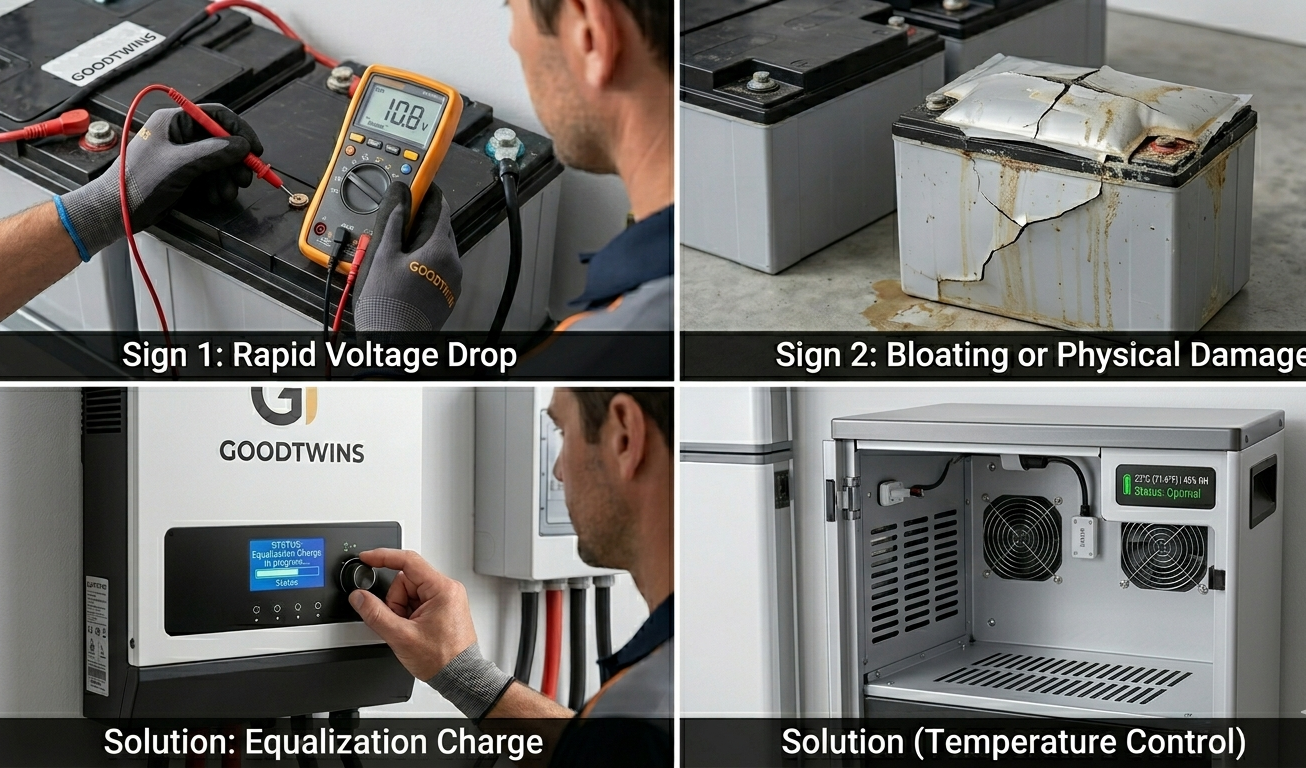
1. Rapid Voltage Drop Under Load
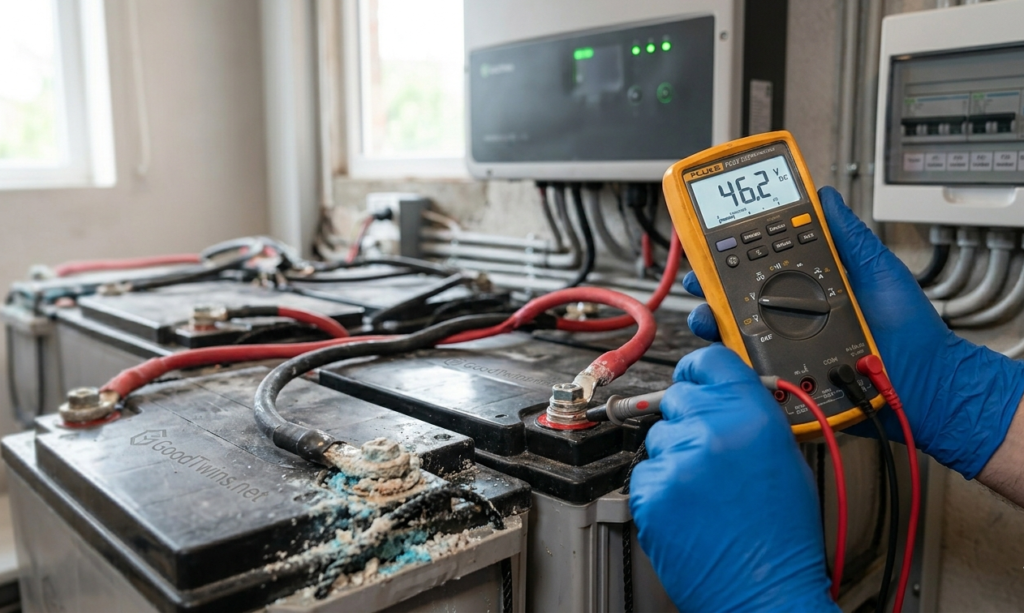
A healthy battery should maintain a relatively stable voltage when you turn on your appliances. If you notice that your voltage levels plummet the moment a heavy load—like a refrigerator or microwave—kicks in, the internal resistance of the battery has likely increased.
How to Check:
Use a multimeter or your system’s monitoring app to watch the voltage during peak usage. If it drops significantly and immediately, the battery’s ability to hold a “surface charge” is failing.
2. Visible Bloating or Physical Damage
Physical inspection is the easiest way to spot a dying battery. If the casing of your battery appears swollen, bloated, or cracked, it is a sign of internal heat buildup or overcharging.
The Risk:
Bloated batteries are not just inefficient; they can be dangerous. Structural damage can lead to leaks of hazardous electrolytes or even thermal runaway. If you see physical deformation, it is time to disconnect the unit immediately.
3. Significantly Shortened Backup Time
Do you remember when your battery could power your home through the entire night, but now it barely lasts until 10:00 PM? This loss of “capacity” is a classic sign of aging. Over time, the chemical components inside the battery degrade, meaning it can store less energy than it did when it was new.
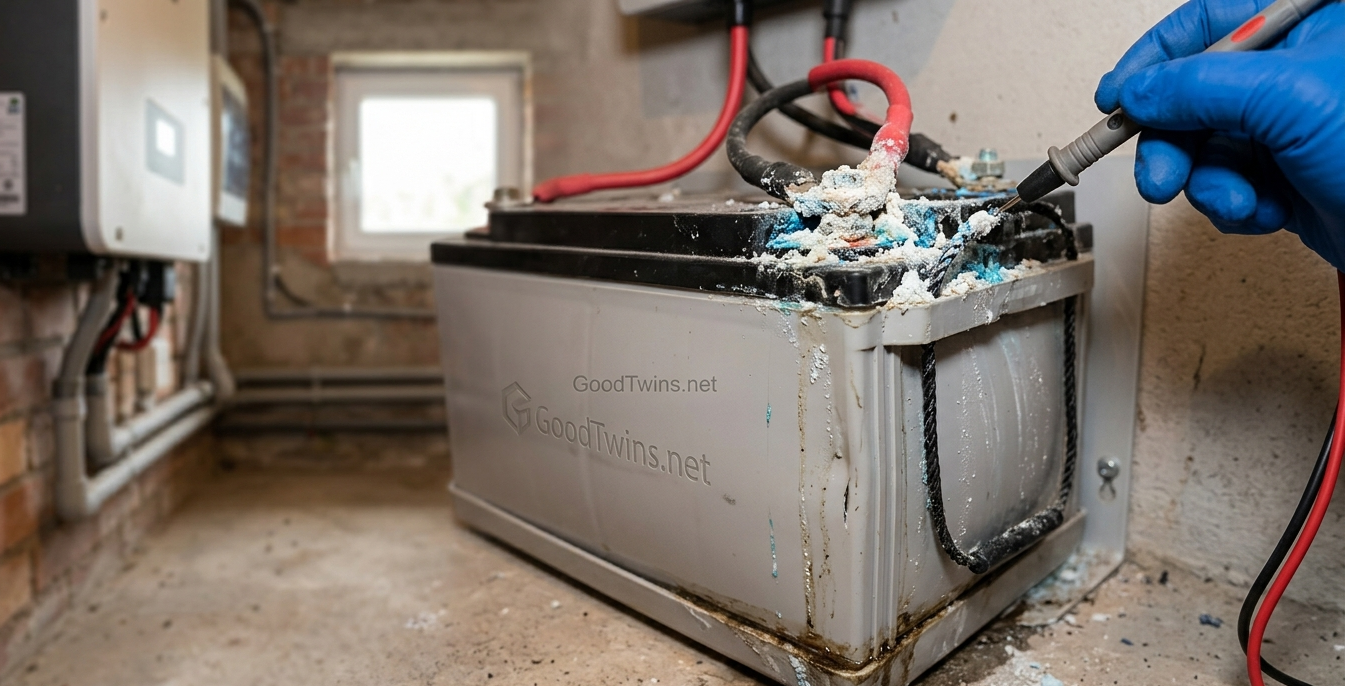
4. Corrosion or Leaking on Terminals
While some minor oxidation is normal, heavy white, ashy, or blue-green crust around the battery terminals is a red flag. This corrosion increases resistance, preventing the battery from charging or discharging effectively.
Pro-Tip:
If you catch this early, you can often clean it with a mixture of baking soda and water. However, persistent corrosion often indicates that the battery is “gassing” excessively due to internal wear.
5. The Battery Never Reaches Full Charge
If your solar panels are soaking up plenty of sun all day, but your charge controller never shows a “Full” or “Float” status, the battery cells may be damaged. A “dead cell” acts like a leak in a bucket; no matter how much energy you pour in, it never stays full.
How to Extend Your Solar Battery’s Life
Before you rush out to buy a new system, try these maintenance steps to see if you can revive or protect your current setup:
- Perform an Equalization Charge: For lead-acid batteries, a controlled overcharge (equalization) can help remove sulfate buildup on the plates
- Monitor Temperature: Heat is the number one killer of batteries. Ensure your battery bank is in a cool, ventilated area. Ideally, keep them between 20°C and 25°C.
- Check Depth of Discharge (DoD): Avoid draining your batteries to 0%. Setting your inverter to cut off at 50% (for Lead-Acid) or 10% to 20% (for Lithium) will drastically extend their lifespan
- Tighten Connections: Ensure all cables are snug. Loose connections cause heat and prevent proper charging
- Check Depth of Discharge (DoD): Avoid draining your batteries to 0%. Setting your inverter to cut off at 50% (for Lead-Acid) or 10% to 20% (for Lithium) will drastically extend their lifespan
- Monitor Temperature: Heat is the number one killer of batteries. Ensure your battery bank is in a cool, ventilated area. Ideally, keep them between 20°C and 25°C.
Comparison Table: Healthy vs. Dying Battery
| Feature | Healthy Battery | Dying Battery |
| Voltage Stability | Stays consistent under load | Drops rapidly when used |
| Physical Shape | Flat, clean casing | Bloated, bulging, or leaking |
| Charging Time | Reaches 100% within expected hours | Never reaches 100% or charges “too fast” |
| Heat Level | Stays cool or slightly warm | Becomes hot to the touch during use |
| Backup Capacity | Powers home for the rated duration | Short, unpredictable backup times |
Conclusion
Your solar battery doesn’t have to be a “set it and forget it” component. By keeping an eye on physical changes and monitoring your system’s performance, you can catch issues before they lead to a blackout. Regular maintenance—like cleaning terminals and managing temperatures—ensures you get every possible year of service out of your investment.
Is your system showing these signs? It might be time for a professional health check to keep your home powered and your energy clean.